As a facilitator of Instructional Skills Workshops (ISW) [ISW organization web site] I’m concerned about using cameras for recording and reviewing mini lessons and the challenge this has become.
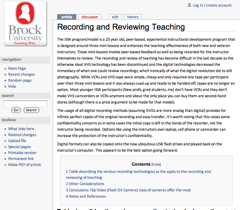
The ISW program/model is a 25 year old, peer-based, experiential instructional development program that is designed around three mini lessons and enhances the teaching effectiveness of both new and veteran instructors. Those mini lessons involve peer-based feedback as well as being recorded for the instructor themselves to review. The recording and review of teaching has become difficult in the last decade as the otherwise ideal VHS technology has been discontinued and the digital technologies decreased the immediacy of when one could review recordings, which ironically of what the digital revolution did to still photography. While VCRs and VHS tape were simple, cheap and only required one tape per participant over their three mini lessons and it was always cued-up and ready to be handed-off, tapes are no longer an option. Most younger ISW participants (New profs, grad students, me) don’t have VCRs and they don’t make VHS camcorders or VCRs anymore and about the only place you can buy them are second-hand stores (although there is a price argument to be made for that model).

The usage of all-digital recording methods (assuming DVDs are more analog than digital) provides for infinite perfect copies of the original recording and easy transfer. It’s worth noting that this raises some confidentiality concerns as in some cases the initial copy is left in the hands of the recorder, not the instructor being recorded. Options like using the instructors own laptop, cell phone or camcorder can increase the protection of the instructor’s confidentiality.
Digital formats can also be copied onto the now ubiquitous USB flash drives and played back on the instructor’s computer. This appears to be the best option going forward.
Table describing the various recording technologies as the apply to the recording and reviewing of teaching
|
|
Capture
|
Review
|
Transfer – positives and negatives
|
Cost
|
|
Tape/Media based
|
VHS
|
Cameras are big.
Can no longer be purchased new.
|
VHS tapes are relatively easy to cue.
Few people still have a working VHS VCR (player). 1
|
+ No transfer! The same VHS tape is used throughout.
|
VHS tapes are about $5.00, only one needed per participant.
VHS Camcorders have been discontinued.
|
DV Camera
|
Digital Video camera captures to DV tape at high quality.
|
Participants almost never have something that plays DV tapes, transfer is required to DVD, computer, etc. 1
|
– Transferring from DV Tape can take a long time. It generally involves a computer and considerable rendering time to export to something like a DVD or a protected web site.
+ The destination formats that are available are almost limitless.
– Often requires a FireWire or USB cable.
|
Cameras range from $200 to $2000+
Tapes are about $6.00, only one tape needed per participant
|
Mini-DVD
|
Captures to mini-DVD disc at good quality.
|
mini-DVD must be finalized whenever it comes out of the camera to be reviewed. 1
|
+ The video is not physically transferred, recording is done straight to DVD.
– Finalization process can take a few minutes.
|
Cameras range from $200 to $1000
mini-DVD discs are $1.00-$2.00 and more than one will per participant will likely be needed.
|
|
Hard Drive/Flash Drive
|
|
Hard Drive Camera
|
Captures digital Video to its own hard drive at high quality.
– Many have complained about the whine emitted from the hard drive.
|
Reviewed on a computer via QuickTime or Windows Media.
Optionally run through lengthy export to DVD, etc.
Drive cannot be removed. 12
|
+ Transferring is faster than the 1:1 ratio of DV tape and speed can be increased when video quality is reduced.
++ Video can be transferred directly to a USB flash drive with no additional processing.
= Alternatively video can be transferred to a computer and with considerable rendering time to exported to something like a DVD.
+ The destination formats that are available are almost limitless.
– Often requires a FireWire or USB cable.
|
Cameras range from $350 to $1000
No additional media required3
|
Flip Video
(Flash DV Camera)

|
Digital Video camera captures to its own solid-state flash drive.
|
Reviewed on a computer via QuickTime or Windows Media.
Optionally run through lengthy export to DVD, etc.
In some cases the video is stored on a media card. 1
|
+ Transferring is faster than the 1:1 ratio of DV tape and speed can be increased when video quality is reduced.
++ Video can be transferred directly to a USB flash drive with no additional processing.
= Alternatively video can be transferred to a computer and with considerable rendering time to exported to something like a DVD.
+ The destination formats that are available are almost limitless.
+ USB connection is generally integrated.
|
Cameras range from $150 to $250
No additional media required3
|
|
Less conventional solutions
|
|
Digital Camera
|
Most digital [still] cameras can not only be used for still photography but also have a movie mode that emulates a Flip/Flash Video camera.
|
$150 to $2000 plus, but ideally this will be a re-purposed of existing resources
|
|
From DV camera directly to computer via FireWire
|
Camera is setup while connected to Laptop via FireWire with software like iMovie or Movie Maker running.
|
Recording done on laptop.
|
Considerable rendering time still needed to export video to something like a DVD but some digital formats may transfer quickly to something like USB flash drive.
|
DV camera + laptop
|
Laptop “webcam”
|
Point web cam at instructor and use software like iRecord for OS X.
|
None, especially if on instructor’s laptop.
|
File should be immediately review-able and can either be transferred to USB flash drive or is already on participants laptop.
|
laptop with web cam – Mac Books start at $1000, “Net Book” PCs start around $500
|
Notes:
-
Almost all cameras support in-camera review on the viewfinder or larger LCD screen.
-
In the majority of cases the drive cannot be removed.
-
When using electronic distribution, blank DVDs etc. still represent a cost of around a dollar.
Other Considerations
The smaller cameras allow for placement on a mini-tripod. This allows for placement in unique locations, like alongside participants, which a full-size tripod precludes.
Conclusions: Flip Video (Flash DV Camera) class of cameras offer the most

The Flip Video (Flash DV Camera) class of cameras appear to offer the most promising combination of ease of use for those doing the recording and for instructor that will be reviewing it. Flip cameras offer a simple integrated USB connector that allows for quick transfer to a USB drive via any available computer. Flip camera’s also easily support all of the requirements for immediate review during instructor interviews, etc.
The original 1st generation Flip Video did not have a very good microphone (the original is distinguished by the now absent “puredigital technologies” branding, but the current Flip Mino and Flip Ultra have improved microphones.
Flip Video Products are detailed on their web site at theflip.com and Amazon Canada has a number of Flash-based Camcorders for sale, including comparable offerings from Kodak.
 I’m planning on doing some updates to my web site so that I can move away from shared hosting and gain more control over the web server. Not sure what the time line is, but consider yourself warned 😉