What to Look for when Trying to Author Accessible Content: My List
Mon Feb 21 23:46:56 2011 EST (-0500 GMT)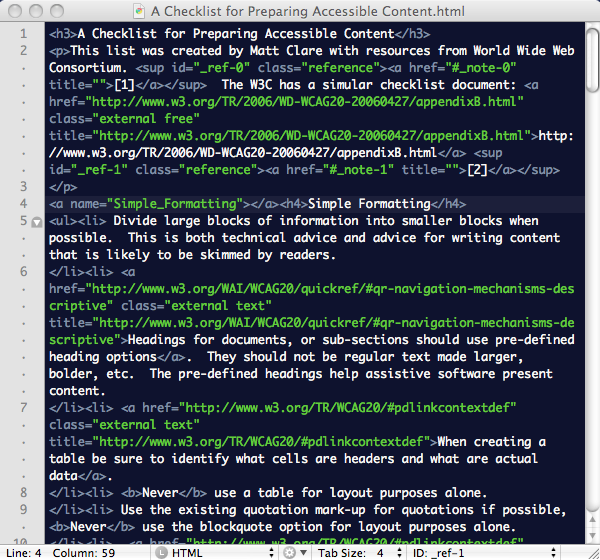 I’ve assembled my list of things to look for when preparing content for the web with an eye to accessibility. I would like to add to this advice that I’ve always found that accessible web pages are the easiest way to create content that is well indexed by a search engine – as both serve the goal of helping a machine interpret the content better.
This list is written assuming that most modern tools that help construct content directly for the web help individuals create accessible content by default, and that this is the primary way content makes its way to the web. Tools like WordPress for blogs, or Learning Management Systems (LMSs).
Multimedia content is particularly challenging, as it can require the use multiple senses, and unless accommodations such as transcription or description are added, some individuals may not be able to access multimedia content.
Evan more than with most posts; I’d love to read your comments and suggestions about this list and these practices.
My Checklist for Preparing Accessible Content
This list was created by Matt Clare with resources from World Wide Web Consortium. [1] The W3C has a simular checklist document: http://www.w3.org/TR/2006/WD-WCAG20-20060427/appendixB.html [2]
Simple Formatting
- Divide large blocks of information into smaller blocks when possible. This is both technical advice and advice for writing content that is likely to be skimmed by readers.
- Headings for documents, or sub-sections should use pre-defined heading options. They should not be regular text made larger, bolder, etc. The pre-defined headings help assistive software present content.
- When creating a table be sure to identify what cells are headers and what are actual data.
- Never use a table for layout purposes alone.
- Use the existing quotation mark-up for quotations if possible, Never use the blockquote option for layout purposes alone.
- When creating a list use the number of bulleted list options, DO NOT crete your own bullets. There are ways to insert your own bullets into a proper unordered list, or hide the bullets.
- Ensure that all information conveyed with colour is also available without color. For example by bolding coloured text as well.
- Make linked text meaningfull.
- Example1: Option one would make much more sense when a screen reader were to read aloud all the links on a page rather than option two:
- Read the Creating Accessible Content Wiki Article.
- Creating Accessible Content Wiki Article Click here.
- Example 2: Consider where in an alphabetical list of links these two links would appear:
- Important article [PDF]
- Important article PDF
- Example1: Option one would make much more sense when a screen reader were to read aloud all the links on a page rather than option two:
- Maintain a high level of colour contrast, be mindful of background colours.
- Avoid, blinking, flickering or excessive motion.
Alternative Information/Formats
Programatic access to information is the only guarantee that the highest level of access can be achieved. This is best achieved through providing information in the simplest text-based format without extraneous items.
- Images should be given a meaningful text description if the image is relevant to the content. If the image is decorative or otherwise irrelevant the description information should be left blank.
- Avoid Images of text. If an image is presented containing text the text or a description should be provided in an alternative format. Text not in an image is far more transformable and scaleable than anything represented in an image.
- Audio and video content should have an alternative textual version provided.
Advanced/Technical Formatting Issues
Information for more advanced formatting or for situations where an individual is creating their own HTML and is not using a WYSIWYG editor.
- Make sure your mark-up is valid syntactically meaningful. Most creation tool ensure this, but validation can be tested for public on-line content at http://validator.w3.org
- Avoid the use of frames.
- Don’t use images as spacers or for other purely layout proposes.
- Content that you don’t want to be seen, but read by a reader, should be positioned as CSS absolute: ie style=”position: absolute;left:-2000;”- left and a whole bunch of negative — not style=”display:none” because screen readers are wise to this.
- Make sure content degrades gracefully:
- Ensure that pages are usable when scripts etc. are off and provide equivalent information on an alternative accessible page if appropriate.
- Organize documents so they may be read without style sheets.
- Make your HTML syntactically meaningful and not dependent on any one browser.
- Ensure that equivalents for dynamic content are updated when the dynamic content changes. With AJAX/DHTML/JavaScript keep in mind how a screen reader may ready the content. Keep in mind the idea of links with title properties offering to skip to a later anchor, or better yet review WAI-ARIA roles, state and focus information in the W3C Candidate Recommendation Accessible Rich Internet Applications (WAI-ARIA) [3]
- Example best practices: When you load a dynamic content element via jquery to make a screen reader see it do a $(“my_thing”).focus();
- Do not append() to the end of the body and then reposition via CSS – just append it to the actual item/div
Checking the Accessibility of Content
While it is hard to replace the insights an individual that uses assistive tools to access the web can offer one can use assistive software ones self to gain insight. Some assistive software is very expensive, however what follows are a list of Firefox extensions that are very useful for assessing the accessibility of web content. Remember, an automated report can never replace a proper inspection of web content.
Firefox Extensions
Notes and References
- ↑ Chisholm, Wendy Trace R & D Center, University of Wisconsin — Madison, Vanderheiden, Gregg, Trace R & D Center, University of Wisconsin — Madison, Jacobs, Ian, W3C
(1999) List of Checkpoints for Web Content Accessibility Guidelines 1.0. World Wide Web Consortium. Retrieved 19:44, February 18, 2011, from http://www.w3.org/TR/WCAG10/checkpoint-list.html. Copyright held by W3C, 1999 - ↑ Caldwell, Ben, Trace Research & Development Center, University of Wisconsin-Madison — Chisholm, Wendy, W3C — Slatin, John, Accessibility Institute, University of Texas at Austin — Vanderheiden, Gregg, Trace Research & Development Center, University of Wisconsin-Madison (2006) Web Content Accessibility Guidelines 2.0, W3C Working Draft 27 April 2006. World Wide Web Consortium. Retrieved 19:41, February 21, 2011, from http://www.w3.org/TR/WCAG10/checkpoint-list.html. Copyright held by W3C, 2006
- ↑ Craig, James, Apple Inc. — Cooper, Michael, W3C (2011) Accessible Rich Internet Applications (WAI-ARIA) 1.0, W3C Candidate Recommendation 18 January 2011. World Wide Web Consortium. Retrieved 19:48, February 21, 2011, from http://www.w3.org/TR/wai-aria/ . Copyright held by W3C, 2011