Half a year goes by, and I don’t make a blog post

Fri Jul 5 12:02:53 2013 EDT (-0400 GMT)

…sorry about that.  I used to be so good at making one post a month.

A lot of work has been going into things other than my blog.  Raising two kids takes a lot of work, and so far my wife hasn’t gone for the division of labour of one child each and Dad takes whichever is less work at the time.  The Brock University’s eLearning Initiative continues to be a lot of work.

But mostly, there are so many more [micro] ways to communicate these days.

More to come soon — this is my transition.

My Productive Practices

Sun Jan 6 21:36:12 2013 EST (-0500 GMT)

productive matrix

At this time of year the interwebs get very productive creating blog postings about productivity, and this blog is all about me adding  information to an existing saturation, so here goes:

These two recent articles have some good ideas for a more productive 2013:

  • Robert C. Pozen in Forbes: http://www.forbes.com/sites/susanadams/2012/10/08/6-ways-to-be-more-productive/
  • Erin Schulte collected thoughts from a number of productive people in Fast Company http://www.fastcompany.com/3004136/11-productivity-hacks-super-productive-people

Geeks are always keen to approach organizing their lives as an engineering problem.  Hence the obsession with David Allen’s Getting Things Done is a time-management methodology  and the steady flow of ideas that come out of http://lifehacker.com

Here’s what I consider my top five most productive practices:

  1. The OHIO principle for E-Mail: Only Handle It Once.  
    Don’t keep re-reading waiting until you’re ready for a response, choose to handle then or not respond at all (with an exception for the “can’t read this here” problem with mobile devices – but mark it as unread).  I’m not a dogmatic process-to-zero inbox person, but I do work sequentially. I’ll only mark as read when the messages is “no longer my responsibility” and some times that means responding asking for clarity to buy a little time and share the responsibility of transmitting a clear message.
  2. Tasks are important and ubiquitous.
    I think I’m one of the few people who values Microsoft Outlook’s Tasks feature, and there’s all kinds of other task Apps.  The trick for me is having those task synced across all my devices, so that when I have the moment of inspiration or recollection I record it easily.  Tasks (or your calendar) is often an important next step after E-Mail comes in that allows you to “deal” with it at an initial level and mark the message as read.  It’s also worth noting that a project is not a task.
  3. Unsubscribe!
    Take a second or two to unsubscribe from those mailing lists that you’re just deleting.  One of my practices has been if the mailings are something that I’m a little interested in, unsubscribe, but try to follow on Twitter.  Switch from the sender-controlled medium or E-Mail to the reviver-controlled medium of Twitter (and better yet, Flipboard cover stories).
  4. E-Mail filters.
    Your mobile phone is not the end of them!  If your E-Mail accounts are attached to Gmail, Hotmail etc. or your corporate Exchange account if you use your webmail interface to craft your mail rules they’ll be processed before they hit your desktop AND your mobile phone.  The key with Exchange is that you can easily overwrite your server-based rules with your desktop.  I have rules that automatically mark out of office messages are read, strip priorities (sorry) and a few that forward on to my Evernote E-Mail address.  Speaking of E-Mail filters and rules…
  5. Automation is your friend: We all should learn a good scripting language.
    From IFTTT to Python & Perl to PowerShell & Automator everything a computer can do for you, it should be.

Also, never forget anything!  For that trick, please see my blog posting on Evernote.

10 Strategies & Arguments for Rob Ford’s Appeal

Tue Nov 27 9:00:20 2012 EST (-0500 GMT)

Here are some strategies and arguments Toronto Mayor Rob Ford could submit to the judge for his appeal of his dismissal from office over a conflict of interest conviction:

  1. Submit your argument on city letterhead, that always looks impressive.
  2. Argue that you can’t be convicted of violating a law you never read.  Your testimony was very clear that you never read the law or the city council handbook.
    • Please note Mr. Mayor: You can’t read the law now, people have been very clear that they want you to stop driving and reading.
  3. Stick with your testimony that you thought that a conflict of interest requires two parties to benefit: There’s no one else that’s benefited from you being mayor.
  4. Ask to have the sentence changed from you are no longer the mayor in 14 days instead and don’t serve two more year of your term to you are only the mayor for 14 days over the next two years. It’ll be a little more work, but you can handle it!
  5. If they want to remove you as mayor they first have to go to city hall and prove that you are actually doing the job of mayor. Celebrate with the football team this week.
  6. It’s a streetcar’s fault.
  7. It’s a bike lane’s fault.
  8. Mention that you confused the council handbook with a copy of the Toronto Star, and thus refused to read it.
  9. Suggest that it wasn’t you who did all of this, it was Chris Farley.
  10. At least get your frequent defendant card punched.

If that doesn’t work then you should at the very least ask the judge for your business card and bumper stickers back and uninvited the jude from Fordfest.


More on conviction of Ontario municipal conflict of interest http://www.theglobeandmail.com/news/toronto/rob-fords-self-inflicted-downfall/article5670796/

Ford_hands_out_business_cards_by_Louise_Morin

Rob Ford hands out business cards, by Louise_ Morin. Posted on West Annex News flickr feed.

Me and Evernote

Tue Nov 13 23:17:16 2012 EST (-0500 GMT)

Long ago I promised myself I’d blog about <a href=”http://evernote.com”>Evernote</a> when I made more than 1000 notes. I broke that record on Friday November 9, 2012 so here’s a quick summary of what Evernote is and what I use it for.

Evernote is intended to help people remember everything. While I haven’t achieved that, I’m a lot closer.

Evernote is a desktop, phone/tablet, browser plugins and a web application that allows you to capture information from anywhere. The application also indexes all entries so that the content can be quickly searched, including any text in pictures – for example: whiteboards.

All these collected notes are synced to client/applications on almost any device that connects to the internet – as a lowest common denominator, there is evernote.com.

Evernote has a provision for tagging notes, but more importantly it lets you start new notebooks and sub-notebooks. I use this to collect notes about the kids, projects at work, my favourite beers and wines, and other notebooks – including some I’ve shared with others.

There’s lots of information on Evernote’s site, so instead I’ll share what I use to for:

At home and around the town:

  • Lists of things to pack, buy, collect and almost anything else.
  • Pictures of the various medicines and other records my kids have taken – both kids have their own notebook.
  • Planing and document projects around the house – including the summer’s minor fence project and last summer’s major patio project and year before that’s nursery project. The notes are important, but the pictures are handy to travel back and forth from Home Deport with.
  • Records and information about the cars and appliances.
  • I transferred my wife’s recipes etc. from an old laptop to all her new devices – I also have access to the this shared notebook and…. don’t use them.
  • Pictures and notes about my favourite beers and the wines in our cellar.

At work:

  • Taking meeting notes – with my fast keyboard and obstructing monitor, or with my slower but less intrusive mobile devices.
  • Taking pictures of whiteboards (which Evernote indexes and allows you to search through).
  • Documenting projects.
  • I have a 200 note plus notebook titled Linux/Unix & WebDev.
  • Lesson plans and post-lesson follow-up notes.
  • Sharing notebooks with colleagues through the shared notebook feature and individual notes via obscure URLs.
  • Forwarding E-Mails to my unique Evernote E-Mail address to keep important information or things like receipts for reference.
  • Collecting research with the web-cliper.
  • Scanning paper handouts to PDF and adding them to Evernote… so I can promptly lose the handouts and still have the information searchable.

Other uses include

  • Clipping articles with the web-clipper extension.
  • Attaching PDFs of eBooks.
  • A clipboard to copy and paste between devices.
  • Forwarding all of my software licence keys received through E-Mail to my unique Evernote E-Mail address.
  • I imported all of my Delicious Bookmarks.
  • Use IFTTT.com to save favourite Instagram images, and previously, tweets.
  • Drafting blog posts!

There are many more uses for Evernote I probably haven’t even thought of, and I encourage you to seek them out.

There is a certain level of commitment to switch to Evernote over your current system [or lack there of] but I hope I’ve made the case that it’s worth doing because it’s a better process and it gives one the “never forget” experience that the elephant logo suggests.

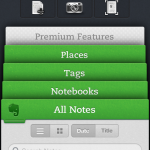
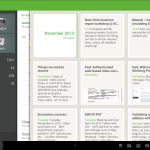
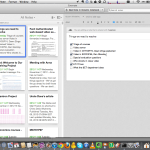
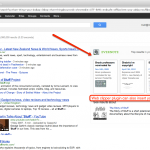
Screenshots:
Code Babies – HTML for Babies

Fri Oct 26 12:16:57 2012 EDT (-0400 GMT)


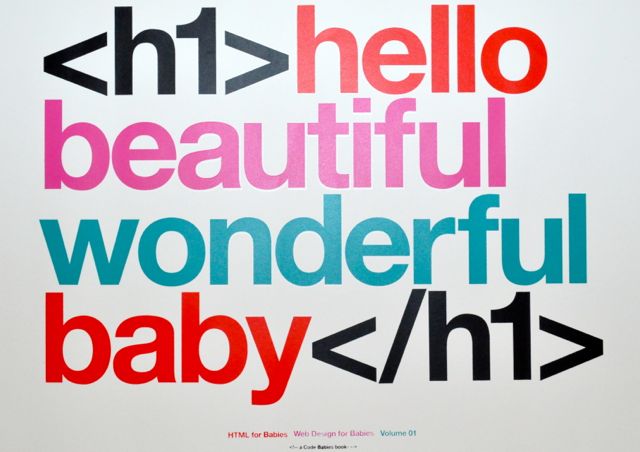
Six months ago I ordered the Code Babies book Web Design for Babies (Vol. 1) . I took a while for it to arrive as PayPal passed on an old address and I failed to catch it, but after a number of months both ends figured it out and then package arrived. Code Babies were kind enough to include a poster (now in our second child’s room).

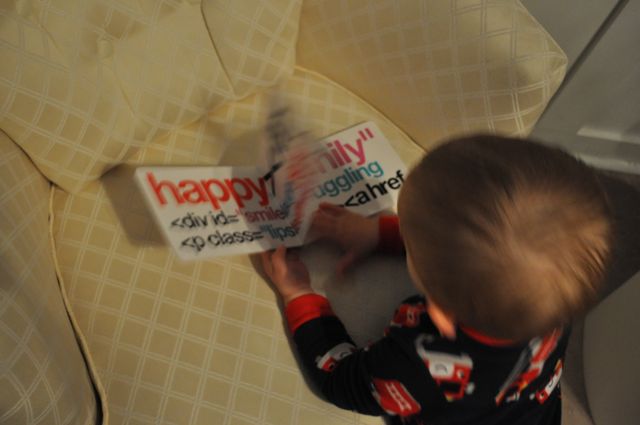
The board book’s colours are bright and the content teaches children about SGML-based markup languages and their tag and property based structure, demonstrating the merits of extensibility. I consider my children a significant revision of their parents, and it’s my intent that as they encounter new experiences in life they demonstrate exciting innovation when possible and otherwise fail gracefully.

I taught myself HTML when I was about 15, reusing a notebook that had been used for story writing from when I was about 8 for my notes. Why not give my children an earlier start, especially since they have 2 more versions of HTML and CSS to learn than I did?

Since both our children were born with their own web site already up and running (first child’s site was standards compliant and dynamic, the upgrade for our second child brought a responsive, bootstrap-based, design) the sooner they can contribute to the World Wide Web the sooner they can start shaping the world they’ve found themselves in.

Next lesson: POSIX-based file structures and how they relate to putting away their toys.